The Universal Rating Activities – Moodle Plugin
Empower your learners — turn feedback into smarter learning with Rate it!
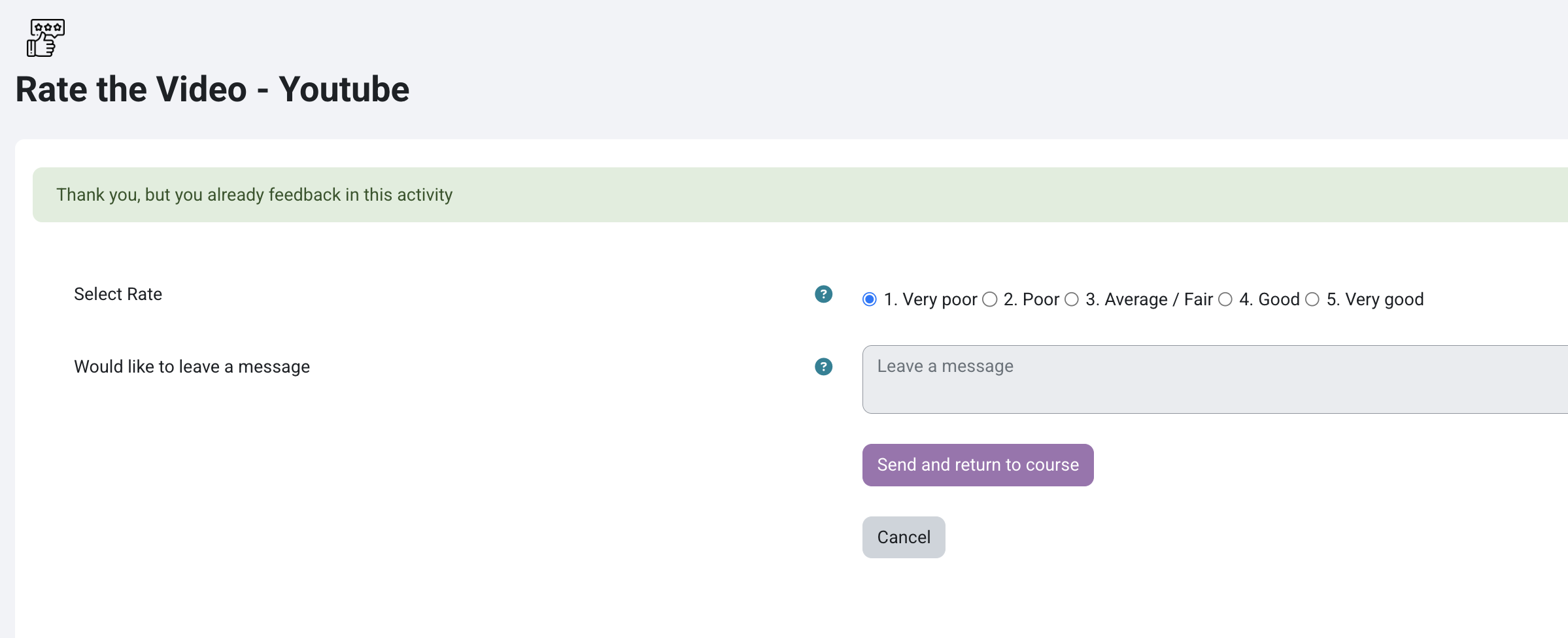
- Customizable Rating Scale: Instructors can edit labels and define the order of the scale (left-to-right or right-to-left), tailoring it to the course’s context.
- Anonymous Feedback Option: Students can submit ratings and comments anonymously, encouraging honest and unbiased responses.
- Sentiment Analysis: Feedback comments are automatically analyzed to detect emotional tone, helping identify dissatisfaction or disengagement early.
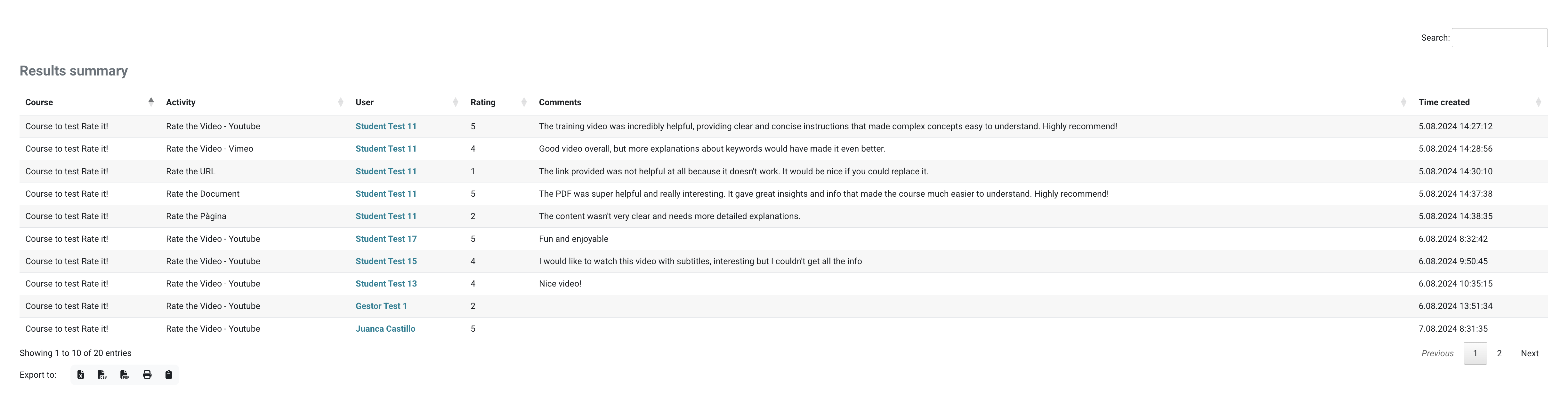
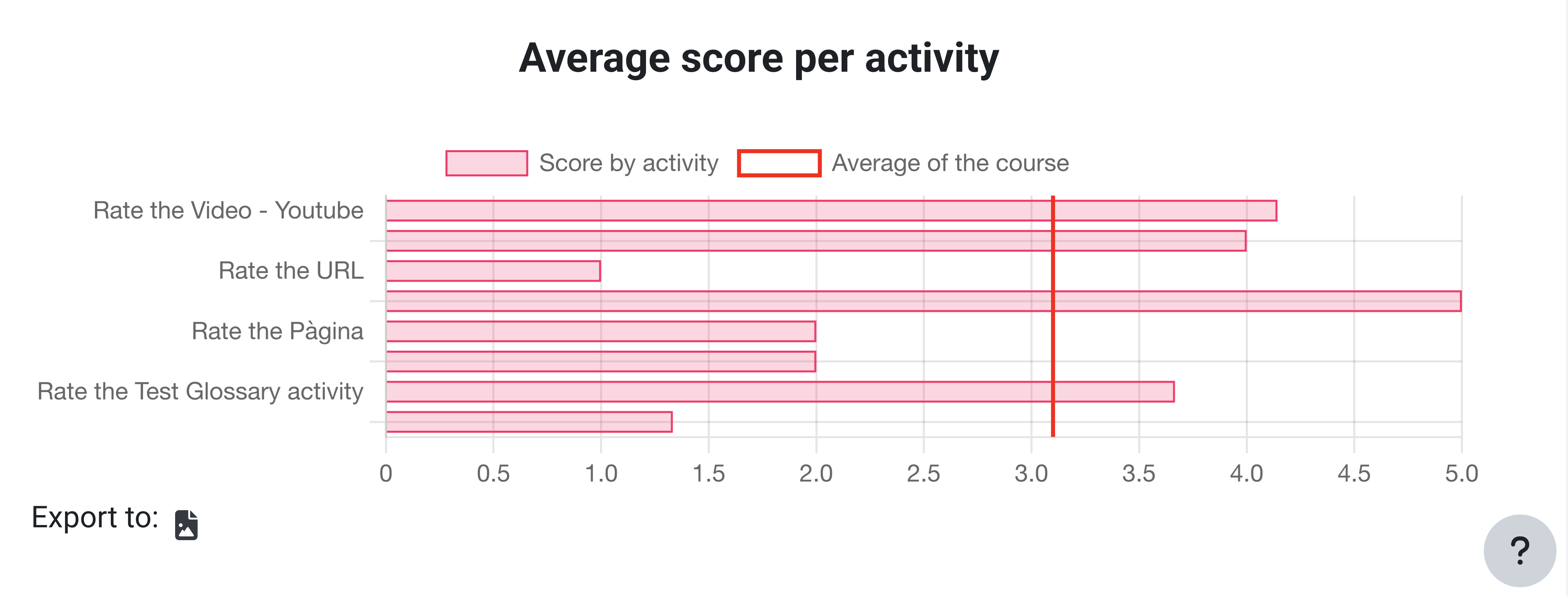
- Detailed Reporting Tools: Visual summaries and exportable tables provide insights into average scores, trends, and specific feedback across activities.
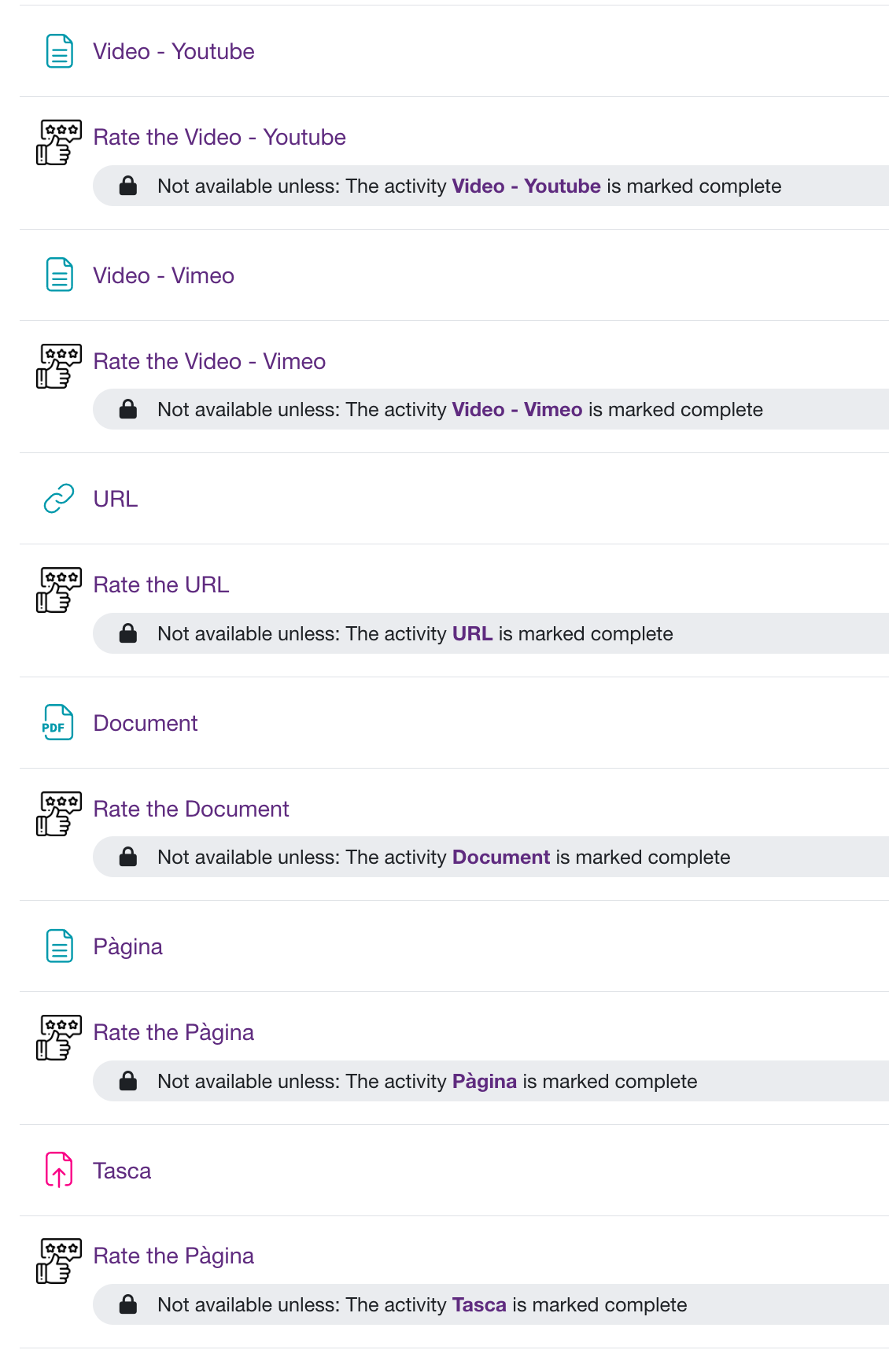
- Seamless Moodle Integration: Fully embedded in Moodle’s interface, making it intuitive for instructors and students to create, access, and manage evaluations.
Start collecting meaningful feedback today — and transform your learning experience with Rate it! now.
Description
The Rate it! plugin is a Moodle-compatible evaluation tool designed to assess preceding course activities through a 1–5 point scale and optional feedback. Fully integrated into Moodle 4+, it offers educators a structured means to collect qualitative and quantitative data from learners. Customizable settings enable anonymous participation, tailored Likert scales, and comment fields, ensuring adaptable deployment across educational and corporate contexts.
Features:
- 1–5 customizable Likert scale with editable labels.
- Anonymous feedback option to encourage honesty.
- Single-use submission per user for data integrity.
- Integration with Moodle UI and navigation tools.
- Built-in sentiment analysis for comment evaluation.
Benefits:
- Provides insight into student engagement and content effectiveness.
- Detects emotional tone to identify content improvement needs.
- Tracks trends and satisfaction over time.
- Enables data-driven decisions via reporting dashboard.
- Supports scalable feedback in diverse learning environments.
Compatible with Moodle 4. Installation via ZIP upload or manual deployment is supported. Reporting exportable in table and PNG chart formats

Screenshots